
Magic Trackpad 2 (2015)
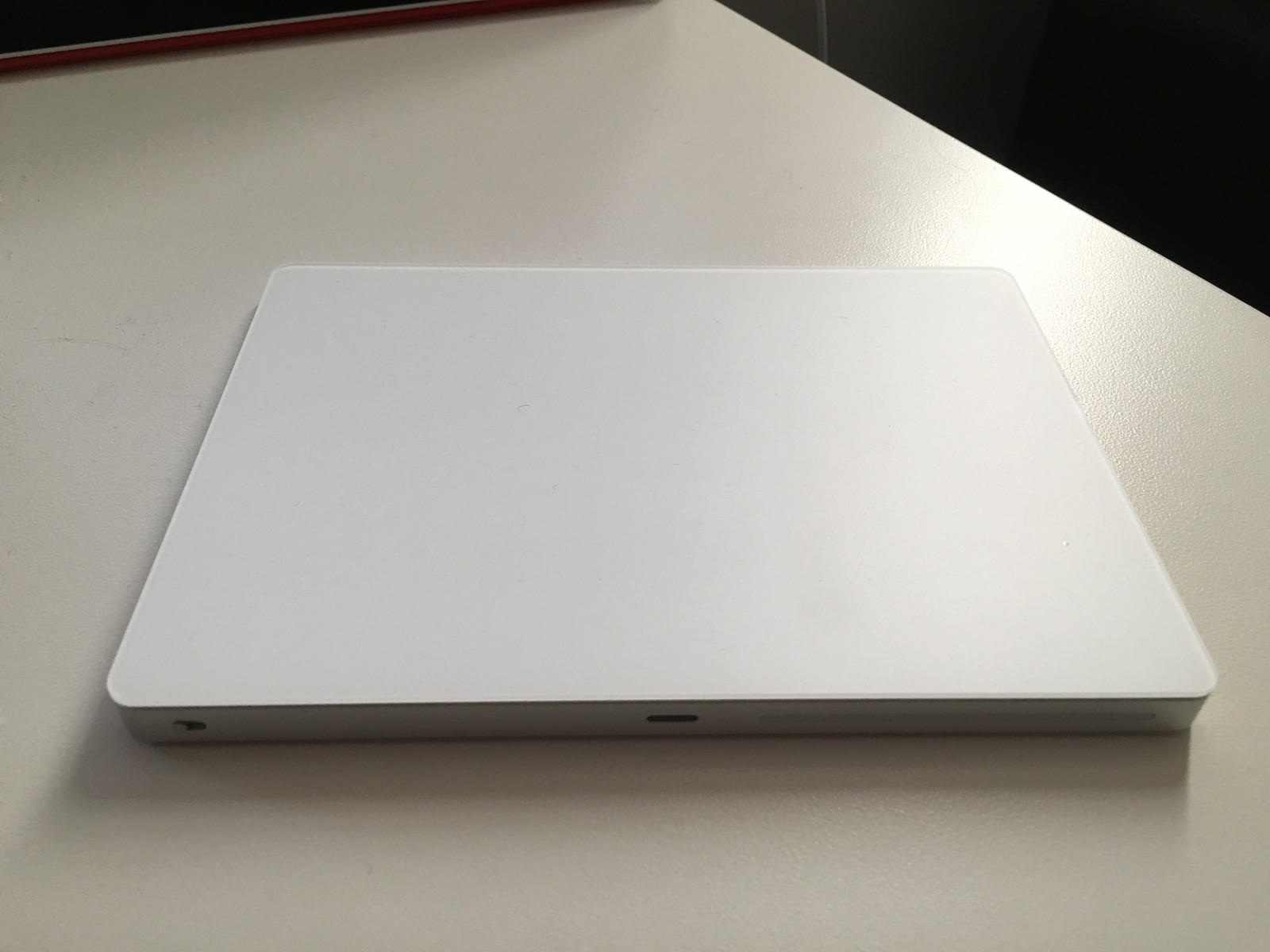
Magic Trackpad 2 (2015): the desktop trackpad with Force Touch, a nearly 30% larger glass surface and a built-in rechargeable battery.
Specifications
| Connection | Bluetooth; automatic pairing over the Lightning cable |
|---|---|
| Power | Internal battery; charges over Lightning; about a month per charge |
| Surface | Force Touch glass surface; nearly 30% larger |
| Compatibility | OS X El Capitan 10.11 or later for Force Touch (Apple) |
| Price (US) | USD 129 in the US (launch price) |
| Status | Discontinued; replaced by the USB-C Magic Trackpad (2024) |
Announcement and availability
Apple introduced it on October 13, 2015, alongside the updated iMac family, for $129 with a Lightning cable included. Apple Newsroom, 13-10-2015
What changes and who it is for
It brought Force Touch to the desktop: four force sensors detect pressure anywhere on the surface and enable new gestures (like Force click lookups). Nearly 30% larger surface, a lower angled profile, and an internal battery lasting about a month. Apple Newsroom
Before choosing
Force Touch requires OS X El Capitan 10.11 or later. It pairs automatically when connected over Lightning. Apple · Specifications
Historical price, haptic click, compatibility and preservation
Apple announced separate availability on 13 October 2015 at US$129 in the United States and £109 in the United Kingdom. These are launch prices in different markets, not a currency conversion or a present-day valuation. The iMac included a keyboard and mouse; this trackpad was optional. Compared with the 2010 Magic Trackpad, the AA battery cylinder disappeared and the surface grew by 29 percent, according to Apple: the change was more than a new colour. Apple US · 13 October 2015 · US$129 Apple UK · 13 October 2015 · £109 Magic Trackpad (2010)
The click makes sense when sensing and feedback are separated. In iFixit’s teardown, four spring tabs carry strain gauges whose resistance changes as they bend; a controller interprets the force. Taptic Engine coils act against a steel bar to create a short vibration that simulates a click. This is neither the previous model’s clicking mechanism nor a touchscreen. Cunningham noted that clicking at the top no longer meant overcoming the leverage of the old hinge. iFixit · steps 8–10 · Taptic Engine and strain gauges Andrew Cunningham · click and hinge comparison
The original guide requires OS X 10.11 or later for the full feature set. Cunningham also reported the Bluetooth 4.0 wireless requirement. The Lightning-to-USB cable pairs the powered-on trackpad automatically and carries data too: it can be used while connected, unlike Magic Mouse 2 during charging. Bluetooth alone does not promise wireless compatibility with every old Mac, and a wired Yosemite test does not establish full official support. Apple · original guide · pp. 1–2 · OS X and pairing Andrew Cunningham · Bluetooth 4.0 and wired use David Price · Yosemite wired test, not official full support
Reception of Force Touch was mixed. In her 20 October 2015 review, Susie Ochs liked the large surface but described accidental Force Clicks when dragging. Enabling three-finger drag and favouring taps over presses helped her. She found Quick Look convenient, but did not yet consider the purchase essential. This is her experience and judgement in 2015, not a fault in every unit or an ergonomic promise; the guide recommends a firm, level surface. Susie Ochs · 20 October 2015 · review and personal experience Apple · original guide · p. 2 · level surface
About a month or more per charge was Apple’s estimate, based on September 2015 testing with preproduction devices, firmware and software alongside shipping iMac systems. The guide describes charging from a Mac USB port or adapter and checking the level in Trackpad preferences. Automatic sleep and switching it off for extended non-use save power; none of this guarantees the endurance of an aged battery. Apple · September 2015 battery test conditions Apple · original guide · p. 4 · charging and sleep
For a collection unit, condition matters more than repeating nominal capacity: iFixit recorded 3.78 V, 7.65 Wh and 2024 mAh in its sample, not in every unit today. It awarded repairability 3 out of 10: the battery and Lightning port could be separated from the board, but adhesive hindered access and opening could damage components. The teardown is not a repair guide. Apple specifies a lint-free cloth and keeping moisture out of openings, with no aerosols, solvents or abrasives. iFixit · steps 4 and 11 · sample battery / 3 of 10 Apple · original guide · p. 5 · cleaning
Sources
- Apple Updates iMac Family with Stunning New Retina Displays (incluye los nuevos Magic accessories) · 13-10-2015
- Apple · Documentación de accesorios (apple.com)
More from the same family
Facts checked October 30, 2026 · Specifications