
Magic Keyboard (2015)
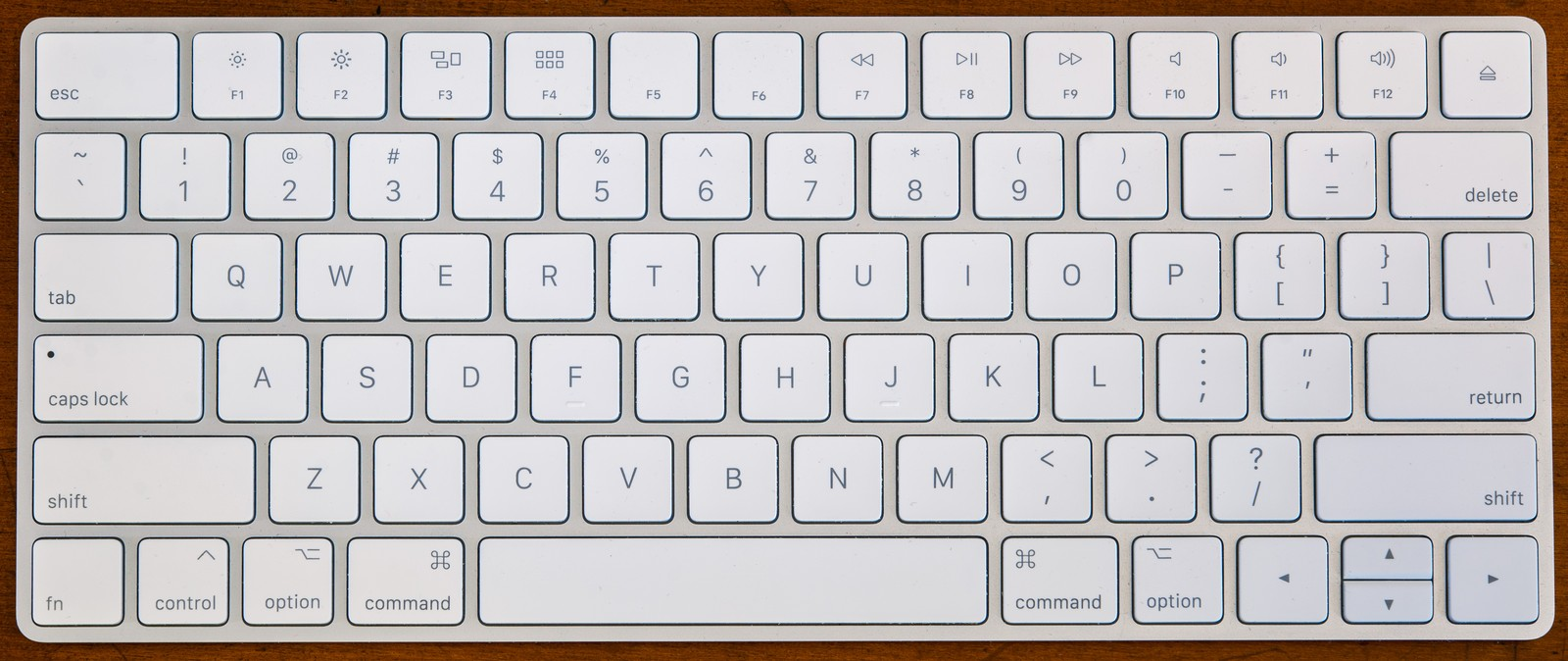
Magic Keyboard (2015): the first Magic Keyboard, with a built-in rechargeable battery, redesigned scissor mechanism and instant pairing over the Lightning cable.
Specifications
| Connection | Bluetooth; automatic pairing over the Lightning cable |
|---|---|
| Charging | Internal battery; charges over Lightning (cable included); about a month per charge |
| Keys | Redesigned scissor mechanism; 33% more key stability |
| Compatibility | Mac with Bluetooth (Apple) |
| Price (US) | USD 99 in the US (launch price) |
| Status | Discontinued; the line moved to USB-C in 2024 |
Announcement and availability
Apple introduced it on October 13, 2015, alongside the updated iMac family, for $99, with a Lightning-to-USB cable included. Apple Newsroom, 13-10-2015
What changes and who it is for
It replaced the Apple Wireless Keyboard: AA batteries gave way to an internal battery lasting about a month, and the redesigned scissor mechanism made keys 33% more stable. It paired automatically when connected over Lightning. Apple Newsroom
Before choosing
It charges over Lightning; the cable also pairs it and lets you use it wired. The 2021 generation added Touch ID on models for Macs with Apple silicon. Apple · Specifications
Price, mechanism, battery claims and care
Apple announced Magic Keyboard on 13 October 2015 for US$99, available that day; it also included it as standard with the new iMacs alongside Magic Mouse 2. The standalone accessory price needs to be separated from inclusion with a computer. In his Macworld review dated 5 November 2015, Lewis Painter quoted £79.99 in the UK: a contemporary price documented by that reporter, not a conversion of US$99 or a current valuation. Apple · 13 October 2015 · US$99 Lewis Painter · 5 November 2015 · £79.99 UK
The change from the 2007 Apple Wireless Keyboard was not adoption of the 2015 MacBook’s butterfly mechanism. Apple described a redesigned scissor mechanism, lower profile and 13 percent less desktop space; iFixit’s original teardown confirms scissors. Writing in Ars Technica on 13 October 2015, Andrew Cunningham connected removal of the AA battery tube with a lower body and shallower angle. The space percentage is the manufacturer’s claim, not an independent measurement made for this catalogue. Apple · scissor mechanism / 13% space claim iFixit · 15 October 2015 · scissor teardown Andrew Cunningham · 13 October 2015 · lower profile Apple Wireless Keyboard (2007)
Apple’s original manual says to connect the Lightning to USB cable and turn on the switch until its green marking is visible to pair with a Mac; the cable can then be removed for Bluetooth use. Cunningham also documented that this cable carries data, not just power. Painter confirmed he could keep typing while charging: the connector’s position does not interrupt use as on Magic Mouse 2. For charging, the manual allows a Mac USB port or USB power adapter; this does not assign a USB-C connector to the 2015 model. Apple · Magic Keyboard guide · pp. 1–2, 4 Andrew Cunningham · USB data Lewis Painter · typing while charging
About a month or more between charges was Apple’s estimate, based on September 2015 testing of preproduction units with automated full discharge on a paired iMac; Apple notes dependence on settings and use. Painter had completed only a week, around eight hours daily, without recharging: not a month-long validation. He also attributed 33 percent greater key stability to Apple but explicitly said he could not verify it scientifically. Stability does not mean 33 percent faster typing or a proven health benefit. Apple · battery test conditions Lewis Painter · one-week test / stability claim
Typing impressions retain their authors and limits. Cunningham described slightly larger, flatter keys, full-height function keys and taller left and right arrows; he quickly regained his usual typing speed but warned that people preferring more travel might hate the new feel. Painter found it pleasant and less prone to finger slipping. Both questioned its standalone value against alternatives with backlighting and quick switching among devices. These are those reviewers’ judgments, not ergonomic consensus or a guarantee that everyone will adjust. Andrew Cunningham · layout and typing impressions Lewis Painter · typing and value judgments
An integrated battery avoids swapping AA cells but does not make internal repair easy. iFixit identified a 2.98 Wh battery in its sample and gave repairability 3 out of 10: the battery and port could separate from the board once open, but adhesive made access without damage difficult. This is that teardown’s assessment, not an invitation to open the keyboard. Apple’s manual says not to dismantle or puncture the battery and directs servicing to Apple or an authorised provider; exterior cleaning calls for a lint-free cloth, no moisture in openings, aerosols, solvents or abrasives. This does not promise current service availability for every old unit. iFixit · 2.98 Wh sample / repairability 3/10 Apple · care and battery safety · pp. 5–6
Sources
- Apple Updates iMac Family with Stunning New Retina Displays (incluye los nuevos Magic accessories) · 13-10-2015
- Apple · Documentación de accesorios (apple.com)
More from the same family
Facts checked October 30, 2026 · Specifications
Historical catalogue links
Relationships already recorded in the catalogue, not a complete succession chain. Same-year variants are shown as related. A missing link does not prove that an earlier or later model does not exist.