
iPod mini (2004)
1st generation · A1051
This entry covers iPod mini (1st generation), model A1051, from 2004. The documented configuration offers 4 GB of hard-disk storage.
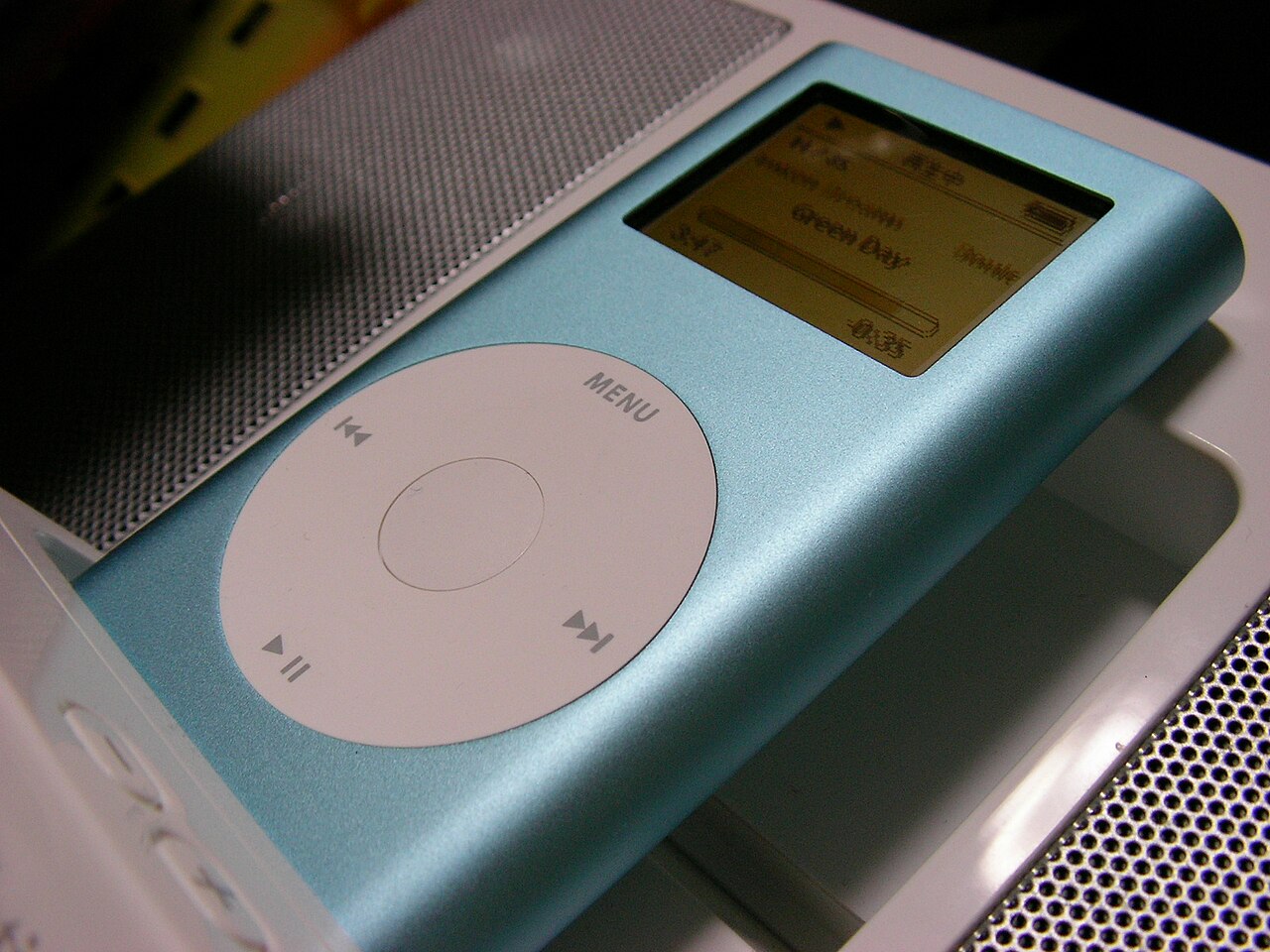
© kaori · CC BY 2.0 ↗ Resized, no crop or retouching.
A blue iPod mini photographed in 2005, during the model's own era. Photo: kaori, CC BY 2.0, Wikimedia Commons.
Specs
| Key feature | A1051 |
|---|---|
| Model | A1051 |
| Documented storage | 4 GB |
| Navigation | Click Wheel |
| Display | Monochrome LCD · 1.67″ · 138 × 110 |
| Frequency response | 20 Hz - 20 kHz |
| Computer connection | USB 2.0 / FireWire 400 through Dock Connector |
| Height | 3.6 in |
| Width | 2.0 in |
| Depth | 0.54 in |
| Weight | 3.6 oz |
| Music: Apple maximum | Up to 8 h |
| Selected audio formats | AAC / MP3 / WAV |
History and documentation
This entry covers iPod mini (1st generation), model A1051, from 2004. The documented configuration offers 4 GB of hard-disk storage.
The mini did not launch everywhere at once. On March 25, 2004, Apple announced that international availability would move to July, saying US demand had exceeded planned supply through June. This is the manufacturer's public explanation, not an independent sales audit. The anodized-aluminum body came in silver, gold, pink, blue and green: a compact branch with its own identity, not simply a large iPod with less storage.
The Click Wheel is also easier to understand through a user's hands. Writing in Macworld in February 2004, Jason Snell explained that integrating buttons into the wheel saved space and restored physical feedback compared with the third-generation iPod's electrostatic controls. He found it a little cramped for his large hand, while several smaller-handed people found it more comfortable. That difference prevents small from automatically meaning better ergonomics for everyone.
Apple (25 Mar 2004) · Jason Snell / Macworld (24 Feb 2004)
Design and specifications
It uses Click Wheel for navigation. Display: Monochrome LCD · 1.67″ · 138 × 110. Its Click Wheel integrates the buttons into the wheel.
Use and context
It measures 3.6 in high, 2.0 in wide and 0.54 in deep, and weighs 3.6 oz. The technical sheet lists a 20 Hz to 20 kHz frequency response and support for AAC, MP3 and WAV among other formats.
Notes and image
Computer connection: USB 2.0 / FireWire 400 through Dock Connector. Apple quotes up to 8 hours of music on a full charge under its test conditions. This is a historical figure, not a runtime guarantee or an assessment of a used unit's battery.
The mini's FireWire connection meant more than a speed in a table. Apple's original guide allowed connection to a PC's four-pin FireWire port through an optional six-to-four-pin adapter, but warned that this connection could not charge the battery. For charging from a computer, it distinguished six-pin FireWire and adequately powered USB 2.0. This is a power-supply distinction between historical connections, not evidence of a faulty battery when a cable allows transfers but not charging.
The optional iPod Remote connected to the dedicated port beside the headphone jack, with the headphones then plugged into the remote. Its Hold switch and the mini's own Hold switch worked independently, according to the manual. That small detail matters when identifying a period set: locking the player's buttons did not lock the remote's, or vice versa.
Apple, iPod mini User's Guide, pp. 8, 14, 17, 43, 45
Sources

More products
Historical catalogue links
Relationships already recorded in the catalogue, not a complete succession chain. Same-year variants are shown as related. A missing link does not prove that an earlier or later model does not exist.